
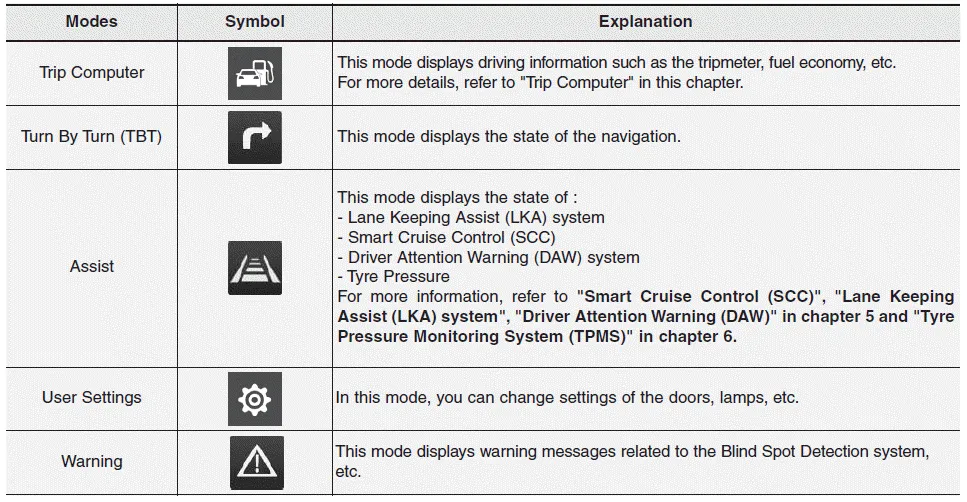
Hyundai i30 (PD): Convenient features of your vehicle / LCD Display. LCD display modes. User settings mode
LCD display control
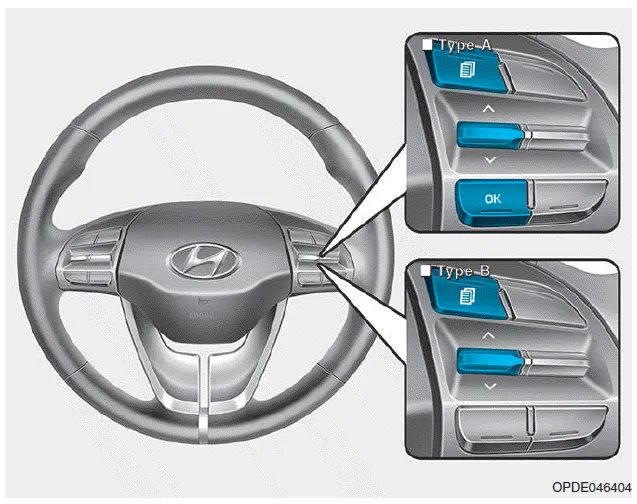
The LCD display modes can be changed by using the control buttons.
(1)  : MODE button for changing
modes
: MODE button for changing
modes
(2)  ,
,
 : MOVE switch for
changing items
: MOVE switch for
changing items
(3) OK : SELECT/RESET button for setting or resetting the selected item
LCD display modes. User settings mode
Settings available after engaging parking brake / Settings available after shifting to P
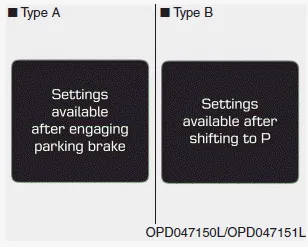
This warning message illuminates if you try to select an item from the User Settings mode whilst driving.
- Manual transmission
For your safety, change the User Settings after engaging the parking brake.
- Automatic transmission / dual clutch transmission
For your safety, change the User Settings after parking the vehicle, applying the parking brake and moving the shift lever to P (Park).
Quick guide (Help, if equipped)
This mode provides quick guides for the systems in the User Settings mode.
Select an item, press and hold the OK button.
Trip computer mode
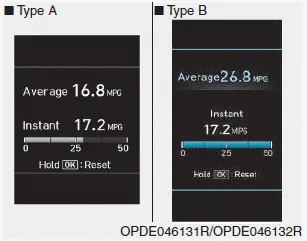
The trip computer mode displays information related to vehicle driving parameters including fuel economy, tripmeter information and vehicle speed.
Turn By Turn (TBT) mode
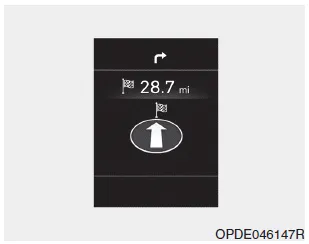
This mode displays the state of the navigation.
Assist mode
SCC/LKA/LDW/DAW
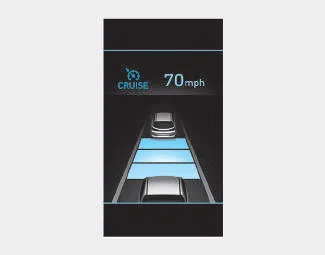
This mode displays the state of the Smart Cruise Control (SCC), Lane Departure Warning (LDW) system/ Lane Keeping Assist (LKA) system and Driver Attention Warning (DAW).
Tyre Pressure
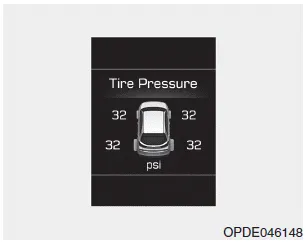
This mode displays information related to Tyre Pressure.
Warning message mode
If one of followings occurs, warning messages will be displayed on the LCD display for several seconds.
- Low washer fluid (if equipped)
- Exterior lamp malfunction
(if equipped)
- High Beam Assist (HBA) malfunction
(if equipped)
- Blind-Spot Collision Warning
(BCW) malfunction (if equipped)
- Forward Collision-Avoidance
Assist (FCA) malfunction (if
equipped)
- Intelligent Speed Limit Warning
(ISLW) malfunction (if equipped)
- Smart Cruise Control (SCC) malfunction
(if equipped)
- Tyre Pressure Monitoring System
(if equipped, TPMS)
User settings mode
In this mode, you can change the settings of the instrument cluster, doors, lamps, etc.
1. Driver Assistance
2. Door
3. Lights
4. Sound
5. Convenience
6. Service Interval
7. Other Features
8. Reset
1. Driver Assistance
• Lane Safety
- Lane Departure Warning
- Standard LKA
- Active LKA
To adjust the Lane Keeping Assist (LKA) function
• Driver Attention Warning
- Off/Normal Sensitivity/High Sensitivity
To adjust the sensitivity of the Driver Attention Warning (DAW).
• SCC Reaction
- Slow/Normal/Fast
To adjust the sensitivity of the Smart Cruise Control system.
• Forward Collision-Avoidance Assist
To activate or deactivate the Forward Collision-Avoidance Assist (FCA).
• Forward Collision Warning
- Late/Normal/Early
To adjust the initial warning alert time for Forward Collision-Avoidance Assist (FCA) system.
• Rear Cross-Traffic Collision Warning
To activate or deactivate the Rear Cross-Traffic Collision Warning function.
• Intelligent Speed Limit Warning
To activate or deactivate the Intelligent Speed Limit Warning Speed function.
2. Door
• Automatic Lock
- Disable: The auto door lock operation
will be cancelled.
- Enable on Speed: All doors will be
automatically locked when the vehicle
speed exceeds 9.3mph
(15km/h).
- Enable on Shift: All doors will be
automatically locked if the automatic
transmission/dual clutch transmission
shift lever is shifted from
the P (Park) position to the R
(Reverse), N (Neutral), or D (Drive)
position.
• Automatic Unlock
- Disable: The auto door unlock operation
will be cancelled.
- Vehicle Off: All doors will be automatically
unlocked when the
Engine Star/Stop button is set to
the OFF position. (if equipped with
smart key)
- On Key Out: All doors will be automatically
unlocked when the ignition
key is removed from the ignition
switch. (if equipped with remote
key)
- On Shift to P: All doors will be automatically
unlocked if the automatic
transmission/dual clutch transmission
shift lever is shifted to the P
(Park) position.
- Driver Door Unlock: All doors will be
automatically unlocked when the
driver’s door is opened.
• Horn Feedback
To activate or deactivate the horn feedback.
If the horn feedback is activated, after locking the door by pressing the lock button on the remote key, and pressing it again within 4 seconds, the horn feedback sound will operate once to indicate that all doors are locked. (if equipped with remote key)
3. Lights
• One Touch Turn Signal
- Off: The one touch turn signal function
will be deactivated.
- 3, 5, 7 Flashes: The turn signal indicator
will blink 3, 5, or 7 times when
the turn signal lever is moved slightly.
• Head Lamp Delay
To activate or deactivate the headlamp delay function.
• Welcome Light
To activate or deactivate the welcome light function.
4. Sound
• Cluster Voice Guidance Volume
- High/Low
To adjust the Cluster Voice Guidance Volume.
• Volume for PDW (Parking Distance Warning)
- High/Low
To adjust the Volume for Parking Distance Warning system volume.
• Blind-Spot Collision Warning Sound
To activate or deactivate the Blind- Spot Collision Warning sound.
5. Convenience
• Seat Easy Access
- Off: The seat easy access function
is deactivated.
<
- Normal/Extended: When you turn
off the engine, the driver's seat will
automatically move rearward short
(Normal) or long (Extended) for you
to enter or exit the vehicle more
comfortably.
• Wireless Charging System
To activate or deactivate the wireless charging system in the front seat.
• Wiper/Lights Display
To activate or deactivate the Wiper/ Light mode.
When activated, the LCD display shows the selected Wiper/Light mode whenever you changed the mode.
• Auto Rear Wiper (reverse)
To activate or deactivate the rear wiper whilst the vehicle is in reverse with the front wiper ON.
• Gear Position Pop-up
To activate or deactivate the gear position pop-up.
When activated, the gear position will be displayed on the LCD display. (if equipped with automatic transmission/ dual clutch transmission)
6. Service Interval
• Service Interval
To activate or deactivate the service interval function.
• Adjust Interval
If the service interval menu is activated, you may adjust the time and distance.
Information
To use the service interval menu, consult a HYUNDAI authorised repairer.
If the service interval is activated and the time and distance is adjusted, messages are displayed in the following situations each time the vehicle is turned on.
- Service in
: Displayed to inform the driver the remaining mileage and days to service.
- Service required
: Displayed when the mileage and days to service has been reached or passed.
Information
If any of the following conditions occur, the mileage and number of days to service may be incorrect.
- The battery cable is disconnected.
- The fuse switch is turned off.
- The battery is discharged.
7. Other Features
• Fuel Economy Auto Reset
- Off: The average fuel economy will
not reset automatically whenever
refuelling.
- After Ignition: When the engine has
been OFF for 4 hours or longer the
average fuel economy will reset
automatically.
- After Refuelling: The average fuel
economy will reset automatically
after adding 6 litres (1.6 gallons) of
fuel or more and after driving speed
exceeds 1 mph (1 km/h).
• Fuel Economy Unit
To select the fuel economy unit. (UK gallon, US gallon)
• Temperature Unit
To select the temperature unit. (°C,°F)
• Tyre Pressure Unit
To select the tyre pressure unit. (psi, kPa, bar)
8. Reset
You can reset the menus in the User Settings Mode. All menus in the User Settings Mode are reset to factory settings, except language and service interval.
Heated Steering Wheel turned off (if equipped) This message is displayed if you turn off the heated steering wheel. For more details, refer to “Heated Steering Wheel� in this chapter.
The trip computer is a microcomputer- controlled driver information system that displays information related to driving. Information Some driving information stored in the trip computer (for example Average Vehicle Speed) resets if the battery is disconnected.
Other information:
Hyundai i30 (PD) 2018-2024 Owner's Manual: Driver attention warning (DAW) system
The Driver Attention Warning (DAW) system displays the condition of the driver's fatigue level and inattentive driving practices. System setting and activation System setting The Driver Attention Warning (DAW) system is set to be in the OFF position, when your vehicle is first delivered to you from the factory.
Hyundai i30 (PD) 2018-2024 Owner's Manual: Rear fog lamp
1. Loosen the pin-type retainers and screws of the rear wheel guard and then detach it from the rear bumper. 2. Reach your hand into the back of the rear bumper. 3. Remove the socket from the housing by turning the socket counterclockwise until the tabs on the socket align with the slots of the housing.
Categories
- Manuals Home
- Hyundai i30 Owners Manual
- Specifications & Consumer information
- Scheduled maintenance services
- Warning and indicator lights
- New on site
- Most important about car
