
Hyundai i30 (PD): Lane keeping assist (LKA) system / Warning light and message
Check LKA system
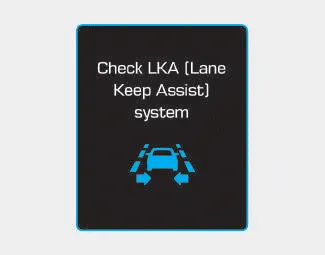
If there is a problem with the system a message will appear for a few seconds. If the problem continues the LKA system failure indicator will illuminate.
LKA system failure indicator

The LKA system failure indicator (yellow) will illuminate if the LKA system is not working properly. We recommend that the system be checked by a HYUNDAI authorised repairer.
When there is a problem with the system do one of the following:
- Turn the system on after turning the engine off and on again.
- Check if the ignition switch is in the ON position.
- Check if the system is affected by the weather. (ex: fog, heavy rain, etc.)
- Check if there is foreign matter on the camera lens.
If the problem is not solved, we recommend that the system be checked by a HYUNDAI authorised repairer.
The LKA system will not be in the ENABLED state and the steering wheel will not be assisted when:
- The turn signal is turned on before changing a lane. If you change lanes without the turn signal on, the steering wheel might be controlled.
- The vehicle is not driven in the middle of the lane when the system is turned on or right after changing a lane.
- ESC (Electronic Stability Control) or VSM (Vehicle Stability Management) is activated.
- The vehicle is driven on a sharp curve.
- Vehicle speed is below 60 km/h (37 mph) and over 200 km/h (125 mph).
- The vehicle makes sharp lane changes.
- The vehicle brakes suddenly.
- Only one lane line is detected.
- The lane is very wide or narrow.
- There are more than two lane lines on the road. (e.g. construction area)
- The vehicle is driven on a steep incline.
To activate/deactivate the LKA system: With the ignition switch in the ON position, press the LKA system button located on the instrument panel on the right hand side of the steering wheel.
The LKA system may operate prematurely even if the vehicle does not depart from the intended lane, OR, the LKA system may not warn you if the vehicle leaves the intended lane under the following circumstances: When the lane and road conditions are poor It is difficult to distinguish the lane marking from the road surface or the lane marking is faded or not clearly marked.
Other information:
Hyundai i30 (PD) 2018-2024 Owner's Manual: Special driving conditions
Hazardous driving conditions When hazardous driving elements are encountered such as water, snow, ice, mud and sand, take the following precautions: Drive cautiously and maintain a longer braking distance. Avoid abrupt braking or steering.
Hyundai i30 (PD) 2018-2024 Owner's Manual: Check tyre pressure
You can check the tyre pressure in the Assist mode on the cluster. Refer to the "LCD Display Modes" in chapter 3. Tyre pressure is displayed after a few minutes of driving after initial engine start up. If tyre pressure is not displayed when the vehicle is stopped, "Drive to display" message will appear.
Categories
- Manuals Home
- Hyundai i30 Owners Manual
- Engine coolant
- Shift-lock system. Shift-lock release
- Scheduled maintenance services
- New on site
- Most important about car
