
Hyundai i30 (PD): Forward collision-avoidance assist (FCA) system - sensor fusion type (front radar + front camera) / FCA warning message and system control
The FCA produces warning messages and warning alarms in accordance with the collision risk levels, such as abrupt stopping of the vehicle in front, insufficient braking distance, or pedestrian detection. Also, it controls the brakes in accordance with the collision risk levels.
The driver can select the initial warning activation time in the User Settings in the LCD display. The options for the initial Forward Collision Warning include Early, Normal or Late initial warning time.
Forward Warning (1st warning)
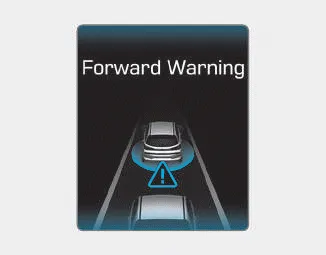
This initial warning message appears on the LCD display with a warning chime.
Collision Warning (2nd warning)
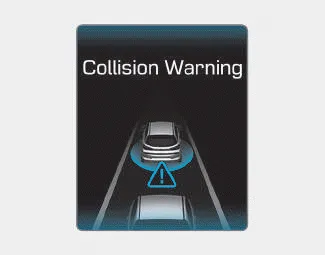
This warning message appears on the LCD display with a warning chime. Additionally, some vehicle system intervention occurs by the engine management system to help decelerate the vehicle.
- Your vehicle speed may decelerate
moderately.
- The FCA system limitedly controls
the brakes to preemptively mitigate
impact in a collision.
Emergency braking (3rd warning)
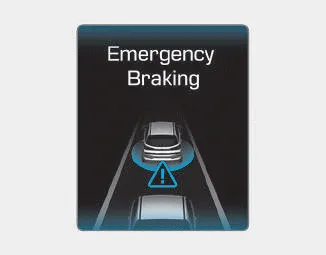
This warning message appears on the LCD display with a warning chime.
Additionally, some vehicle system intervention occurs by the engine management system to help decelerate the vehicle.
- The FCA system limitedly controls the brakes to preemptively mitigate impact in a collision. The brake control is maximised just before a collision.
Brake operation
- In an urgent situation, the braking system enters into the ready status for prompt reaction against the driver's depressing the brake pedal.
- The FCA provides additional braking power for optimum braking performance, when the driver depresses the brake pedal.
- The braking control is automatically deactivated, when the driver sharply depresses the accelerator pedal, or when the driver abruptly operates the steering wheel.
- The FCA brake control is automatically cancelled, when risk factors disappear.
CAUTION
The driver should always use extreme caution whilst operating the vehicle, whether or not there is a warning message or alarm from the FCA system.
WARNING
The braking control cannot completely stop the vehicle nor avoid all collisions. The driver should hold the responsibility to safely drive and control the vehicle.
WARNING
The FCA system logic operates within certain parameters, such as the distance from the vehicle or pedestrian ahead, the speed of the vehicle ahead, and the driver's vehicle speed. Certain conditions such as inclement weather and road conditions may affect the operation of the FCA system.
WARNING
Never deliberately drive dangerously to activate the system.
System setting • The driver can activate the FCA by placing the ignition switch to the ON position and by selecting: "User Settings → Driver Assistance → FCA (Forward Collision-Avoidance Assist)" The FCA deactivates, when the driver cancels the system setting.
â– Front radar â– Front camera In order for the FCA system to operate properly, always make sure the sensor cover or sensor is clean and free of dirt, snow, and debris.
Other information:
Hyundai i30 (PD) 2018-2024 Owner's Manual: Vehicle weight
Two labels on your driver’s door sill show how much weight your vehicle was designed to carry: the Tyre and Loading Information Label and the Certification Label. Before loading your vehicle, familiarize yourself with the following terms for determining your vehicle's weight ratings, from the vehicle's specifications and the Cert
Hyundai i30 (PD) 2018-2024 Owner's Manual: Tyre sidewall labelling
This information identifies and describes the fundamental characteristics of the tyre and also provides the tyre identification number (TIN) for safety standard certification. The TIN can be used to identify the tyre in case of a recall. 1.
Categories
- Manuals Home
- Hyundai i30 Owners Manual
- Maintenance services
- Explanation of scheduled maintenance items
- Drive mode integrated control system
- New on site
- Most important about car
