
Hyundai i30 (PD): Interior features / Luggage net (holder)
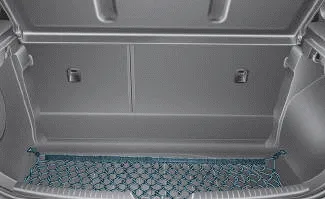
â– 5 Door
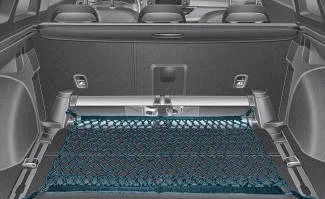
â– Wagon
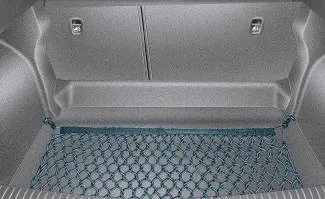
â– Fastback
To keep items from shifting in the luggage compartment, you can use the four holders located in the luggage compartment to attach the luggage net.
If necessary, we recommend that you contact your a HYUNDAI authorised repairer to obtain a luggage net.

This symbol indicates the position of the front holders (wagon).
CAUTION
To prevent damage to the goods or the vehicle, care should be taken when carrying fragile or bulky objects in the luggage compartment.
WARNING
To avoid eye injury, DO NOT overstretch the luggage net. ALWAYS keep your face and body out of the luggage net’s recoil path. DO NOT use the luggage net when the strap has visible signs of wear or damage.
ALWAYS use the Floor Mat Anchors to attach the front floor mats to the vehicle. The anchors on the front floor carpet keep the floor mats from sliding forward.
Use the cover to hide items stored in the cargo area. The cargo area cover will lift when the tailgate is opened. Disconnect the strap (1) from the holder if you want to return the cover to the original position.
Other information:
Hyundai i30 (PD) 2018-2024 Owner's Manual: Jump starting. Jump starting procedure
Jump starting can be dangerous if done incorrectly. Follow the jump starting procedure in this section to avoid serious injury or damage to your vehicle. If in doubt about how to properly jump start your vehicle, we strongly recommend that you have a service technician or towing service do it for you.
Hyundai i30 (PD) 2018-2024 Owner's Manual: Tyre pressure monitoring system
WARNING Over-inflation or under-inflation can reduce tyre life, adversely affect vehicle handling, and lead to sudden tyre failure that may cause loss of vehicle control resulting in an accident. Each tyre, including the spare (if provided), should be checked monthly when cold and inflated to the inflation pressure recommended by
Categories
- Manuals Home
- Hyundai i30 Owners Manual
- Brake/clutch fluid
- Drive mode integrated control system
- Maintenance services
- New on site
- Most important about car
