
Hyundai i30 (PD): Manual heating and air conditioning / Fan speed control. Air conditioning. OFF mode
Fan speed control
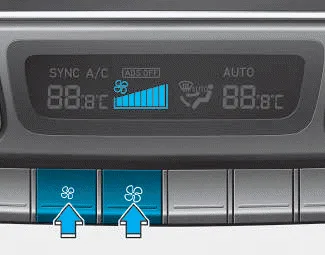
The fan speed can be set as desired by pushing the fan speed control button.
More air is delivered with higher fan speeds.
Pressing the OFF button turns off the fan.
NOTICE
Operating the fan when the ignition switch is in the ON position could cause the battery to discharge. Operate the fan when the engine is running.
Air conditioning
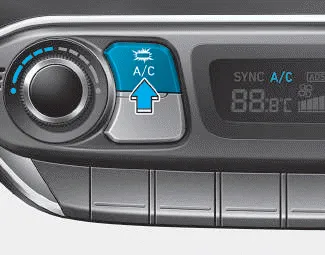
Push the A/C button to turn the air conditioning system on (indicator light will illuminate).
Push the button again to turn the air conditioning system off.
OFF mode
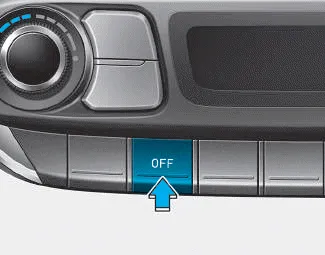
Push the OFF button to turn the climate control system off. However, you can still operate the mode and air intake buttons as long as the ignition switch is in the ON position.
This is used to select the outside (fresh) air position or recirculated air position. To change the air intake control position, push the control button.
Ventilation 1. Set the mode to the position. 2. Set the air intake control to the outside (fresh) air position. 3. Set the temperature control to the desired position.
Other information:
Hyundai i30 (PD) 2018-2024 Owner's Manual: Low tyre pressure telltale
Low tyre pressure telltale Low tyre pressure position telltale and tyre pressure telltale When the tyre pressure monitoring system warning indicators are illuminated and a warning message displayed on the cluster LCD display, one or more of your tyres is significantly under-inflated.
Hyundai i30 (PD) 2018-2024 Owner's Manual: Notes on the safe use of the Tyre Mobility Kit
Park your car at the side of the road so that you can work with the Tyre Mobility Kit away from moving traffic. To be sure your vehicle will not move, even when you're on fairly level ground, always set your parking brake. Only use the Tyre Mobility Kit for sealing/ inflation passenger car tyres.
Categories
- Manuals Home
- Hyundai i30 Owners Manual
- Engine compartment
- Scheduled maintenance services
- Brake/clutch fluid
- New on site
- Most important about car
